This site is supported by our readers. We may earn a commission, at no cost to you, if you purchase through links.
A chickadee lands, grabs a seed, and disappears in under a second. Blink and you’ve missed it.
Setting up a camera at your bird feeder changes that completely—you catch every visit, every species, even the shy ones that bolt the moment you glance out the window. The right setup turns your feeder into a front-row seat to something most people never slow down enough to see.
From picking the right camera to mounting it without scaring off your regulars, there’s a clear path to getting this done well.
Table Of Contents
- Key Takeaways
- Choosing The Best Camera for Bird Feeders
- Essential Camera Features for Bird Watching
- Selecting The Ideal Feeder and Camera Location
- Step-by-Step Camera Installation Guide
- Configuring Camera Settings for Clear Shots
- Maintaining and Protecting Your Camera Setup
- Live Streaming and Sharing Bird Feeder Footage
- Frequently Asked Questions (FAQs)
- How to setup a camera bird feeder?
- Where is the best place to put a bird feeder with a camera?
- Do you need Wi-Fi for a bird feeder camera?
- Which bird species visit feeders most frequently?
- What types of bird feed attract the most birds?
- How do I identify birds caught on camera?
- Can weather conditions affect bird feeder activity?
- How do I deter squirrels from my feeder?
- Conclusion
Key Takeaways
- Positioning your camera 12–18 inches from the feeder, at bird’s-eye level, makes a bigger difference than the camera itself.
- Motion-activated cameras save battery and storage by only recording when birds actually show up.
- Optical zoom beats digital zoom every time — digital just blurs and stretches what’s already there.
- Your footage can go beyond your backyard — platforms like eBird and Project FeederWatch turn your clips into real conservation data.
Choosing The Best Camera for Bird Feeders
Picking the right camera makes all the difference between blurry guesses and crisp, clear shots.
Once you’ve got the right gear, dialing in your technique is just as important — these bird photography camera tips can help you get sharp, stunning results every time.
Not every camera works the same way, and your setup will depend on what you need.
Here are the main options worth considering.
Trail Cameras Vs. Wi-Fi Cameras
Trail cameras and Wi-Fi cameras each bring something different to the table.
Trail cameras save footage to an SD card — great for remote spots, but you’ll need to retrieve the card manually.
Wi-Fi cameras connect to your router and stream live to your phone, usually within about 100 feet. Which matters more to you: convenience or range?
Cellular trail cameras are an alternative option that use cellular networks for remote monitoring, enabling instant access to images even in areas with no Wi-Fi.
Motion-Activated and Battery Options
Motion-activated cameras are a breakthrough for your bird feeder camera setup. Motion sensors trigger recording only when birds arrive, saving battery life and storage.
Battery-powered cameras are easy to install anywhere. Most run 5 to 15 days per charge, but solar power can keep things running longer without constant recharging. Smart power management means less hassle, more birds.
For best results, it’s essential to examine motion detection zone settings to fine-tune what actually triggers your camera.
Specialist Bird Feeder Cameras
Specialist bird feeder cameras take things up a notch. Unlike generic WiFi cameras, these are built around feeder design — seed hopper, perch, and lens all in one.
AI recognition identifies species in seconds and sends alerts straight to your phone. Camera durability is solid too, with IP65-rated housings that handle rain and cold.
It’s bird tracking and wildlife monitoring made genuinely simple.
Budget-Friendly Alternatives
Not everyone needs to drop big money on a specialist setup. Budget cameras, repurposed phones, and DIY mounts can get you surprisingly close results. An old smartphone with a motion app becomes a solid DIY bird feeder camera setup in minutes. Low cost trail cameras like the Wosports G500 Pro run around $70 — no subscriptions needed.
Consider:
- Reused equipment like battery-powered cameras clipped to DIY mounts
- WiFi cameras under $40 streaming live to your phone
- Solar-powered cameras keeping watch all day without a single battery swap
Essential Camera Features for Bird Watching
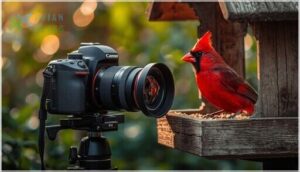
Not every camera is built the same, and the right features can make a real difference at the feeder.
Shutter speed alone can transform your shots—this guide to photographing birds in flight breaks down exactly how to dial it in.
A few key specs will determine whether you capture crisp, frame-worthy shots or end up with blurry, disappointing footage. Here’s what to look for before you buy.
Optical Vs. Digital Zoom
Here’s something worth knowing before you buy: not all zoom is equal.
Optical zoom physically shifts the focal length, so your camera sensors capture true high resolution detail. Digital zoom just crops and stretches — dropping image quality fast.
For a quick zoom comparison:
| Feature | Optical Zoom | Digital Zoom |
|---|---|---|
| Lens Mechanics | Moves glass elements | Software crop |
| Image Quality | Sharp, high resolution | Soft, pixelated |
| Camera Settings | Adjustable focal length | Fixed lens |
Optical zoom wins every time for feeder shots.
Shutter Speed and Burst Mode
Birds don’t wait for you. A fast shutter — think 1/1000s or higher — is your best tool for motion freeze at the feeder.
Without it, you’ll get motion blur on every wing beat. Pair that with burst mode and higher frame rates, and your camera settings do the heavy lifting. Image quality stays sharp while you capture the whole landing sequence.
Battery Life and Storage
Battery life varies more than you’d think. Dedicated bird feeder cameras like Bird Buddy usually run 10 to 30 days per charge — though heavy feeder traffic burns through that faster.
Solar add-ons extend your power source considerably. For storage options, a 32GB memory card holds roughly 800 minutes of footage. Enable loop recording so data management takes care of itself.
Selecting The Ideal Feeder and Camera Location
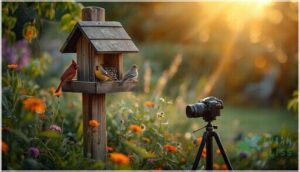
Where you place your camera matters just as much as which camera you choose.
A good spot means better shots, fewer startled birds, and less frustration overall.
Here are the key things to think about when picking your location.
Optimal Distance and Angle
Get the distance wrong, and even a great camera setup falls flat. For most bird feeder camera installation situations, positioning your camera 12 to 18 inches away fills the frame beautifully. Your lens focal length and minimum focus distance both matter here.
- Keep shooting height at the birds’ eye level
- Use a wide-angle lens for tighter spots
- Adjust feeder angle for a clean bird portrait
Avoiding Disturbances and Noisy Areas
Noise is invisible, but birds feel it everywhere. Smart feeder placement means keeping your setup at least 50 to 100 feet from patios, driveways, and play areas.
Noisy spots hurt bird behavior and your sound quality too — urban hum drowns out natural calls. For cleaner audio and calmer visitors, tuck your outdoor camera setup behind shrubs or fencing.
Quieter spots make every clip worth watching.
Step-by-Step Camera Installation Guide
Getting your camera in place doesn’t have to be complicated. A few simple steps make all the difference between shaky, blurry shots and crisp, clear photos.
Here’s what you need to know to get everything set up right.
Mounting and Securing The Camera
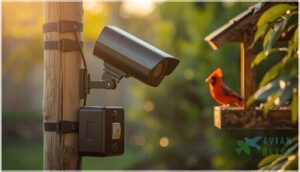
Getting your bird feeder camera locked in place is half the battle. Start with pole mounting using a clamp bracket — it grips poles between 1 and 2 inches with no slipping. Good camera mounting means the whole outdoor camera installation stays steady when birds land.
- Tighten camera brackets firmly to avoid tilting
- Face access doors downward for weatherproofing
- Use zip ties every 12–18 inches for cable management
- Add a lockbox for anti-theft protection
Using Tripods and Adjustable Mounts
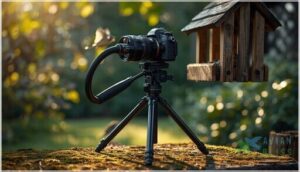
Once your camera is clamped down, a tripod gives you real flexibility. Set tripod stability around eye level with the feeder — usually three to five feet up.
Mount adjustments on articulated flexible arms let you shift angles without touching the pole extensions. Camera leveling matters more than you’d think. A small tilt changes your whole shot.
Try a ball-joint mount for quick, tool-free camera mounting outdoors.
Ensuring Stability on Uneven Ground
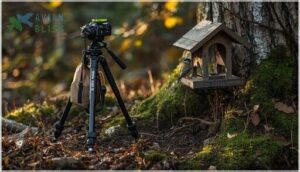
Uneven ground throws off your whole bird feeder camera setup. Extend one tripod leg further on the downhill side — that’s basic tripod leveling that actually works.
Press spike feet into soil for real ground anchoring. A small bubble level keeps camera mounting honest. Hang a light weight bag low for better weight distribution. Solid soil stabilization means sharper shots, every time.
Configuring Camera Settings for Clear Shots
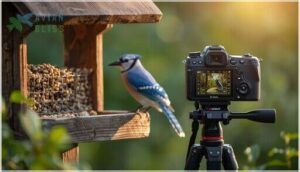
Getting your camera in the right spot is only half the job.
The settings you choose can make or break your shots.
Here’s what to adjust so every bird that shows up looks sharp and clear.
Adjusting Exposure and White Balance
Dial in your exposure modes first — Shutter Priority locks in fast shutter speeds like 1/1000s to freeze wings mid-flap.
Struggling with tricky light? Exposure compensation fixes that without leaving auto mode. Match your white balance to conditions: Daylight for sunny feeders, Cloudy for overcast skies.
Nail these camera settings for bird photography, and your ISO settings handle the rest automatically.
Setting Focus Points and Frame Rates
Once your exposure is set, focus point adjustment is next. Place your autofocus point directly on the bird’s eye — that’s where the magic happens. Single-point mode works great for perched birds.
Switch to continuous autofocus modes when they’re darting around. For frame rate optimization, 30 FPS suits calm visitors, while 60 FPS cuts motion blur on fast wings. Clean camera calibration sharpens everything.
Maintaining and Protecting Your Camera Setup
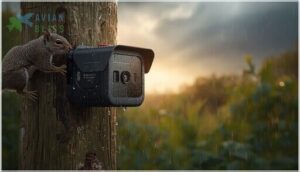
Getting your camera set up is only half the camera job. The other half is keeping it running well, especially through rain, wind, and the occasional curious squirrel.
Here’s what to stay on top of.
Cleaning The Lens and Housing
A dirty lens quietly ruins your best shots. Start with a hand blower to knock loose dust off — that’s your first line of defense for dust removal techniques.
Then wipe gently with a microfiber cloth, never paper towels. For housing maintenance, a mild soap wipe takes care of seed oil and grime. Check every four to six weeks near feeders.
Weatherproofing and Covering
Rain doesn’t care about your camera — but you can. Good weatherproofing starts with choosing the right setup from the get-go. For outdoor camera installation near feeders, focus on these three basics:
- Use weatherproof housings with IP66 or higher ratings for water-resistant protection.
- Add camera shields or sun protection covers to block glare and rain.
- Seal cable gaps with silicone for solid moisture control.
Wireless cameras and outdoor enclosures with solar charger compatibility make long-term setups surprisingly simple.
Regular Battery and Storage Checks
Check your battery level every week or two — it’s one of those small habits that saves a big headache. Most smart cameras show the charge right in the app, so battery monitoring takes seconds.
Cold weather drains power fast, sometimes cutting battery life in half. For storage management, peek at your memory card too. Regular data backup keeps your best shots safe.
Inspecting Mounts for Safety
Your mount is only as strong as what it’s screwed into. A loose setup can bring your whole bird feeder camera down in one good gust.
Every few months, run through these quick checks:
- Fastener Inspection: Look for rust, stripped heads, or screws backing out
- Surface Evaluation: Probe wooden posts — soft wood means hidden rot
- Corrosion Checks: Watch for peeling coatings or white powdery buildup on metal
- Mount Stability & Theft Prevention: Tighten all pivot points and move the camera out of easy reach if needed
Live Streaming and Sharing Bird Feeder Footage
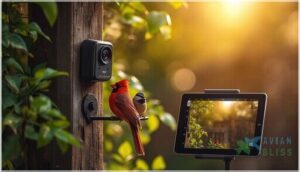
Your camera is set up, your birds are showing up — now it’s time to share the live action. Whether you want to stream live or contribute to real conservation efforts, there are a few solid ways to put your footage to work.
Here’s how to get started.
Connecting Cameras for Live Viewing
Getting your WiFi Camera online is simpler than it sounds. Most wireless bird feeder webcam setups connect through 2.4 GHz Wi-Fi Connections — better range, fewer dead spots. Keep your Live Bird Feeder Camera within 100 feet of your router for solid Signal Strength.
| Feature | Details | Why It Matters |
|---|---|---|
| Wi-Fi Band | 2.4 GHz recommended | Better outdoor range |
| RTSP stream | Main + sub stream | Flexible resolution options |
| Camera Networks | Local or internet | Low latency locally |
| Live Streaming | App-based viewing | Watch from anywhere |
| Power Management | Solar + battery combo | Continuous uptime |
Streaming to Social Media or YouTube
Ready to share your backyard birds with the world? Tools like OBS make live streaming surprisingly easy — just paste your camera’s RTSP stream into OBS as a media source, then connect to YouTube using a stream key.
For smooth live feeds, set your video encoding around 4,500 to 6,000 kbps. Good stream quality keeps online engagement high and your audience coming back.
Using Footage for Citizen Science and Conservation
Your footage can do more than entertain. Platforms like eBird and Project FeederWatch turn your clips into real citizen science data.
Log what you see — species, counts, timestamps — and you’re contributing to bird population studies and wildlife monitoring efforts that track long-term changes. Even one sharp frame helps. That’s citizen research and environmental conservation working together, right from your backyard.
Every bird you log becomes a data point in conservation efforts that protect species for generations
Frequently Asked Questions (FAQs)
How to setup a camera bird feeder?
Want to catch every flutter and landing without missing a beat? A bird feeder camera setup starts with choosing the right camera, finding the best camera placement, and understanding basic bird behavior near your feeder.
Where is the best place to put a bird feeder with a camera?
Place your bird feeder camera where light hits the feeder from behind the lens.
Smart feeder placement means keeping the bird feeder 5–10 feet high, open ground below, and good backyard birding views all around.
Do you need Wi-Fi for a bird feeder camera?
No, you don’t always need Wi-Fi. A simple offline trail camera records to an SD card just fine.
But if you want live views or instant alerts, a Wi-Fi connection makes all the difference.
Which bird species visit feeders most frequently?
Chickadees, sparrows, finches, and doves rank among the most frequent feeder visitors. Regional variations matter — Great Tits dominate European gardens, while goldfinches and juncos rule North American backyard bird feeders.
What types of bird feed attract the most birds?
Like a magnet, black oil sunflower seeds pull in the widest range of backyard birds.
Pair them with white millet feed, suet cakes, nectar mix, and mealworms to keep your bird feeder busy all day.
How do I identify birds caught on camera?
Pause a frame and look at size, feather patterns, and plumage analysis first.
A bird identification app like Merlin makes photo identification easy.
It nails species recognition fast using bird behavior and color clues.
Can weather conditions affect bird feeder activity?
Yes, weather patterns absolutely shape feeder activity.
Cold snaps drive birds to feeders more often, while storms temporarily pause visits.
Temperature effects are real — your outdoor cameras will capture the difference clearly.
How do I deter squirrels from my feeder?
Squirrels are relentless. Use squirrel baffles, smart feeder placement, and spicy seed as your go-to deterrent strategies.
Squirrel guards and the right seed choices keep backyard wildlife honest — and your bird feeder all to the birds.
Conclusion
Setting up a camera at your bird feeder sounds like a small project—until you’re still watching footage at midnight, completely hooked on a nuthatch’s daily routine. The birds don’t know they’ve become your favorite show.
But you do. Once your camera is placed, angled, and dialed in, the feeder stops being a simple snack station. It becomes a window. And what flies past that window might just surprise you every single day.
- https://www.pcmag.com/picks/the-best-smart-bird-feeders
- https://www.wired.com/story/best-smart-bird-feeders/
- https://www.birdfy.com/blogs/blogs/the-best-bird-feeder-camera-2025-test
- https://support.soliom.net/hc/en-us/articles/34042642667929-How-to-Increase-the-Bird-Feeder-Video-Record-Time-Save-the-Power-Consumption
- https://green-backyard.com/blogs/how-to-protect-your-bird-box-camera-from-rain/