This site is supported by our readers. We may earn a commission, at no cost to you, if you purchase through links.

Somewhere between spotting a flash of yellow in the hedgerow and reaching for your field guide, most beginners lose the bird entirely. That three-second window is everything in songbird identification, and a slow, complicated tool can cost you the sighting.
Ornithologists have long known that decision fatigue—too many choices hitting you at once—is the single biggest barrier for newcomers learning to identify birds by ear and eye.
The right beginner songbird comparison tool cuts through that noise, narrowing possibilities by location, color, and song before doubt even sets in.
What separates genuinely useful tools from the rest comes down to a few specific features worth knowing before you choose.
Table Of Contents
Key Takeaways
- The three-second window when you spot a bird is everything, so your ID tool needs to narrow possibilities by location, color, and song before doubt even sets in.
- Visual filters — size bands, bill shape, plumage zones, and perching posture — let you cut through look-alike species faster than any single field mark alone.
- Sound ID tools like Merlin and BirdNET often outperform photo ID in dense foliage or low light, making audio recognition your sharpest field skill to develop early.
- One well-chosen app used consistently beats a drawer full of tools — Merlin Bird ID covers photo, sound, and description-based ID for free, with offline regional packs that travel anywhere you do.
What Makes a Beginner-Friendly Tool?
Not every birding tool is built with beginners in mind, and that difference matters more than you might think. The best ones strip away the confusion and get you to an answer fast, without making you feel like you need a degree in ornithology first.
A good starting point is knowing which birds actually show up in your area—this guide to common garden bird species gives you exactly that without the fluff.
Here’s what to look for before you commit to any app or chart.
Fast Species Narrowing for First-time Users
When you’re just starting out, narrowing down possibilities fast makes all the difference. A good Bird ID app like Merlin Bird ID uses location-based suggestions to show only birds near you — instantly shrinking your expanding species list to a manageable few.
With instant visual cues, one-click filtering, and quick tap confirmation, a songbird comparison chart turns rapid identification from overwhelming into genuinely satisfying.
Simple Layouts With Fewer Decision Steps
Once location snaps into place automatically, a Minimalist UI keeps things moving. The best birdwatching tools and resources, such as Merlin Bird ID, use Single Action Buttons and Button Grouping to limit each screen to just three or four choices. Progressive Disclosure hides specific details until you need them, so your songbird comparison chart stays clean, focused, and genuinely easy to work through.
The app also offers real-time sound identification for instant bird song matching.
Clear Filters for Color, Size, and Habitat
Filters work like a Color Size Matrix for your brain — they cut the guesswork quickly. Stick to traits you’re certain about: a clear plumage zone, a rough size band, a specific habitat.
Habitat Sorting alone can shrink your list dramatically. Add Trait Weighting by combining color with size, and Adaptive Adjustments tighten your Filter Confidence as each clue stacks up.
You can also download regional bird packs for offline identification.
Offline Access for Field Use
Downloading regional packs before you head out solves a lot of problems. Good field guide apps rely on Local Data Caching and Compressed Media Storage to keep species data and Offline Map Tiles ready without a signal.
Battery Optimized Mode keeps your phone alive longer, and Sync Conflict Resolution quietly sorts any data clashes once you’re back online — so your sightings stay intact.
Free Vs Paid Features Beginners Should Notice
Most free apps give you enough to get started — basic color and size filters work well for common garden birds. But paying for a tier or two unlocks things worth noticing:
- Enhanced Filters and High-Res Images for spotting subtle plumage differences
- Cloud Sync so your sightings travel with you
- Priority Updates and Ad Removal for cleaner, faster field sessions
Visual Filters That Improve Bird ID
Once you start paying attention to a bird’s shape, color, and bill, identification gets a lot easier. Visual filters help you sort through possibilities quickly, even when two species look almost identical at first glance.
Here are the key features to look for.
Size and Shape Comparisons

Before anything else, size tells you more than color ever will. A songbird comparison chart groups birds into size bands — sparrow-sized, thrush-sized, pigeon-sized — giving you an instant starting point.
From there, silhouette ratios matter: tail proportions, bill head ratio, wing length metrics, and body mass index all shape what you’re seeing. Trust the body profile silhouettes first, then dig deeper.
Plumage Colors and Pattern Matching

Color is where songbird identification gets genuinely exciting. A good songbird comparison chart breaks plumage into distinct plumage zones — crown, breast, wing coverts, tail — so your eye knows exactly where to look. Here’s what visual cues actually tell you:
- Melanin vs Carotenoid — dark browns and blacks versus diet-driven reds and yellows
- Structural Iridescence — blues and greens created by light, not pigment
- Habitat Camouflage Patterns — mottled plumage hiding birds in dense undergrowth
- Sexual Dimorphism Highlights — males usually showing bolder, more saturated patches
- Seasonal Molt Shifts — plumage intensity changing as new feathers emerge
Wing pattern analysis and plumage pattern recognition sharpen quickly once you learn the system.
A good pair of binoculars makes all the difference—check out this guide to essential bird watching gear and supplies to find tools that actually support sharper field identification.
Bill Shape and Feeding Clues

A bird’s bill is basically its built-in toolkit.
Your songbird comparison chart organizes these field marks into clear categories: Conical Seed Crushers crack tough husks with stout, broad-based bills; Insect Gleaning Beaks stay slender and sharp for plucking prey from foliage; Nectar Probes curve gently into flowers; Mud Probing Bills extend long and straight; Dual-Purpose Bills handle everything in between.
Spot the bill shape, and feeding behavior follows naturally.
Perching Posture and Body Profile

Once you move past bill shape, body posture becomes your next reliable field mark. Perching posture and avian morphology work together to tell a story at a glance:
- An upright stance makes thrushes look tall and alert.
- A horizontal perch gives warblers that stretched, low-slung look.
- A hunched profile signals jays instantly.
Chest shape and tail-neck alignment complete the picture for physical trait-based bird identification.
Side-by-side Comparisons for Similar Songbirds

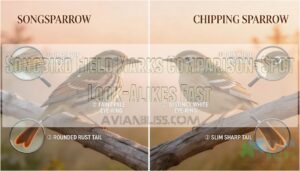
Habitat overlap makes side-by-side comparison essential — the House Finch and Song Sparrow share gardens year-round, yet their differences are clear once you know where to look. Wing pattern highlights, tail morphology, and bill color contrast; each narrow your options fast.
comparison charts for songbird identification helps you track seasonal plumage shifts without guessing. Merlin Bird ID does this digitally, instantly.
Sound Features for Faster Identification

Knowing what a bird looks like is a great start, but sound often tells you more — and faster. Once you start tuning in to calls and songs, identification clicks into place in a whole new way.
Knowing what a bird looks like helps, but learning its song is what makes identification truly click
Here’s what beginners should know about using sound features effectively.
Real-time Song and Call Recognition
When a song drifts through the trees, you don’t want to scramble for a guidebook — you want answers now. That’s exactly what real-time audio matching of bird calls delivers.
Apps like Merlin Sound ID and BirdNET use real-time bird species recognition with multi-species detection, adaptive noise filtering, and confidence threshold tuning, so acoustic monitoring for birdwatchers finally feels simple, even offline.
Comparing Field Recordings With Reference Sounds
Once you’ve captured a recording, the real work begins — matching what you heard to what’s known. Tools like Merlin Sound ID use spectrogram matching and cross-correlation techniques to compare your clip against reference libraries.
Noise reduction filters handle wind and traffic, while confidence scoring tells you how strong each match is.
Three things worth checking:
- Pitch contour and timing patterns
- Note spacing and repetition rate
- Regional variants in reference libraries
Seasonal Singing Patterns Beginners Should Know
Timing matters as much as the sound itself. Spring Breeding Peaks bring the loudest Dawn Chorus Timing — usually an hour before sunrise from March through May — when birds flood the air with Migration Arrival Songs to claim territory. Dusk Singing Peaks offer a second window, especially mid‑breeding season.
Winter Song Lull quiets things down, shifting to short calls.
Common Vocal Differences Among Garden Songbirds
Once you know when to listen, you start noticing how differently garden birds actually sound.
blackbird’s phrase structure is smooth and unhurried, while a song thrush hammers the same phrase three or four times before switching.
Robin song sits higher in pitch contrast than both.
Timbre distinction, repetition speed, and call simplicity are your sharpest auditory cues — no app required.
When Sound ID is More Useful Than Photo ID
Sometimes a photo simply isn’t possible — the bird is buried in dense foliage, moving too fast, or singing before dawn breaks. That’s where Sound ID earns its place.
Dense Foliage Detection and Dawn Chorus Advantage are where acoustic bird identification truly shines.
Merlin Bird ID listens live, sorts Multiple Species Soundscapes instantly, and works offline for quiet Audio Comparison — making Learning by Ear your fastest path forward.
Beginner Songbird Tools Compared

Picking the right tool makes a real difference when you’re just starting out. Each option below suits a different kind of learner, whether you prefer tapping through photos, listening to songs, or describing what you saw.
Here’s how the most beginner-friendly tools stack up.
Songbird Scout for Trait-based Comparison
Songbird Scout cuts straight to what you can actually see.
Its Trait Filter Logic lets you match birds through Rapid Visual Matching — color, size, shape — without wading through endless menus.
The Minimalist UI Design keeps decisions fast, which matters when your bird won’t wait.
Its Interactive Flashcard Loop reinforces recognition over time, making physical trait based bird identification feel less like studying and more like a game.
Merlin Bird ID for Sound, Photo, and Quiz-style ID
Merlin Bird ID gives you three ways in: snap a photo, let it listen to a song, or walk through a Custom Quiz that asks about size, color, and habitat. Sound ID works offline, so dead zones won’t stop you mid-hike.
comparison charts for songbird identification alongside Merlin’s vocal signatures and field marks covers every angle — a complete starter toolkit built around one free app.
Audubon Bird Guide for Description-based Matching
The Audubon Bird Guide takes a different angle — describe what you saw, and it finds the bird. Its Color-Size Matrix and Habitat Dropdowns narrow your options quickly, while Species Frequency Sorting puts the most likely backyard visitors first.
- Enter color, size, and habitat as a Bird identification guide filter
- Browse Field marks and visual cues in bird ID through full species profiles
- Log sightings via Customizable Checklists with eBird Integration support
BirdNET and Similar Audio-first Options
BirdNET turns your phone into a listening station — tap once, and its real‑time audio matching of bird calls delivers ranked suggestions within seconds.
The app’s bird call recognition covers 6,000+ species, with Live Spectrogram View showing exactly what it "hears."
Watch Confidence Thresholds to filter weak results, and note Regional Model Gaps in Africa and Asia.
BirdNET Live’s Edge Privacy keeps your audio on-device.
Best Use Cases by Learning Style and Experience Level
Every learner finds their groove differently — and the right tool depends on how your brain works best:
- Visual Learners thrive with visual identification tools like Songbird Scout’s size-and-shape filters and side-by-side species comparisons.
- Auditory Learners benefit most from auditory cues in Merlin’s real-time Sound ID.
- Hands-On Practice lovers enjoy gamified learning for birdwatchers through Songbird Scout’s learning flashcards.
- Casual Backyard Birding suits using comparison charts for songbird identification alongside step-by-step guides.
Charts Vs Apps Vs Sound Tools

Not every birder learns the same way, and not every tool fits every situation. Whether you’re standing in your backyard or out on a trail, the right format makes all the difference.
Here’s a look at how charts, apps, and sound tools each hold up when you need a quick, confident ID.
Printable Comparison Charts for Quick Reference
Before you download a single app, a printed bird identification guide can be your best first friend in the field. A foldable pocket design slips into any jacket, and high-contrast typography keeps field marks readable in dim light. Use species index numbering to jot quick notes.
| Chart Feature | Why It Helps Beginners |
|---|---|
| Seasonal Update Inserts | Keeps species lists current |
| User Annotation Spaces | Lets you record personal sightings |
| Foldable Pocket Design | Easy outdoor portability |
| High-Contrast Typography | Readable in variable light |
| Species Index Numbering | Fast cross-referencing in the field |
Using comparison charts for songbird identification builds confident pattern recognition before apps enter the picture.
Mobile Apps for Live Field Identification
Pocket charts are great at home, but once you’re actually standing in a hedgerow, a mobile birding application for songbirds changes everything. Bird ID apps like Merlin Bird ID combine real-time audio matching of bird calls with Real-time GPS Mapping, so you know exactly which species are nearby.
| App Feature | Beginner Benefit |
|---|---|
| Crowdsourced Data Integration | Keeps regional sightings accurate |
| Easy-to-use Tutorials | Reduces learning curve fast |
| Battery-efficient Performance | Lasts through full field sessions |
| Multi-language Support | Accessible for all birders |
Field observation techniques improve naturally when your app guides you in real-time.
Progressive Web Apps for Home-screen Access
Native apps aren’t your only option. A Progressive Web App like Songbird Scout uses Service Worker Caching to store your bird ID data offline, so spotting a wren mid-trail won’t depend on signal strength.
The Add-to-Home Prompt triggers automatically, and Standalone Display Mode removes browser clutter.
| PWA Feature | Birding Benefit |
|---|---|
| Splash Screen Branding | Instant, app-like launch |
| Manifest Configuration | Clean home-screen icon |
Accuracy, Speed, and Convenience Tradeoffs
No tool is perfect — and that’s worth knowing before you head outside.
| Tool | Strength | Tradeoff |
|---|---|---|
| Merlin Bird ID Sound ID | Real-time analysis, User-friendly Interface | Higher Battery Consumption |
| BirdNET | Strong Result Transparency | Processing Latency on older phones |
| Printable Chart | Zero Setup Overhead | Low Error Tolerance for tricky species |
| Songbird Scout PWA | Fast, low Battery Consumption | Smaller species database |
| Audubon App | Reliable offline access | No audio ID |
Each tool asks something from you in return for what it gives.
Best Tool Type for Backyard Birding Vs Travel
Where your bird shapes everything about tool fits you best.
| Setting | Best Tool |
|---|---|
| Backyard | Merlin Bird ID Sound ID |
| Travel | Merlin regional packs offline |
| No signal zones | Audubon field guide |
| Tight on Battery Life and Data Usage | Songbird Scout PWA |
Merlin Bird ID covers both worlds well — download regional packs before you go, and its habitat preferences and migration routes data travel with you.
Choosing The Best Tool for You

No single tool works for every birder, and that’s actually a good thing. The right choice depends on where you live, how you prefer to learn, and what features will actually get used in the field.
what to look at before you commit to anything.
Matching Tool Features to Your Region
Not every app covers corner of the world equally well. Merlin’s regional pack size stays manageable because you download only what you need — the Great Britain and Ireland pack, for example, covers 250 species with photos, sounds, habitat filters, and seasonal range maps built in.
Offline pack updates keep your data fresh, and regional coverage of bird species in Sound ID extends across North America, Europe, and India.
Picking Based on Visual, Audio, or Mixed ID
How you prefer to identify bird shapes, which app will actually work for you. Some people trust their eyes; others rely on a song drifting through the trees. Most beginners benefit from both.
Look for tools offering:
- Hybrid Cue Integration — photo and audio work together
- Audio-Visual Sync — field marks and visual cues align with vocal signatures
- Adaptive Filter Switching — toggle between modes instantly
- Contextual Habitat Tags — location-aware suggestions
- Confidence Scoring — ranked matches reduce guesswork
Merlin Bird ID manages all three beautifully.
Comparing Species Coverage and Update Frequency
Think of species coverage as your safety net — the bigger it is, the less likely you’ll hit a frustrating dead end in the field. Merlin leads in Global Species Count at roughly 11,000, refreshed twice yearly through a consistent Model Release Cycle.
Smaller apps update less often, creating real Coverage Gaps during migration season. For beginners, Update Cadence matters more than you’d expect.
Evaluating Beginner Learning Aids Like Flashcards
Flashcards might sound old-fashioned, but Interactive Flashcard Learning genuinely accelerates bird ID skills for beginners. Tools like Anki use Spaced Repetition Scheduling to review tricky species more often, while Songbird Scout’s Gamified Progress Tracking turns practice into play. Custom Deck Creation lets you focus on your backyard visitors first.
- Build decks by region or season
- Link images, songs, and habitats together
- Use Gamified Progress Tracking to measure growth
- Apply Spaced Repetition Scheduling for difficult species
- Combine with birding apps for Multimodal Learning Integration
Building a Starter Birding Toolkit Around One App
One solid app, used well, beats five apps used poorly. Build your starter toolkit around Merlin Bird ID — it processes photo, sound, and description-based ID in one place.
| Feature | Beginner Benefit | Pro Tip |
|---|---|---|
| App Customization | Tailor filters to your region | Download local bird packs first |
| Data Syncing | eBird integration tracks your life list | Enable Multi-Device Support |
| User Community | Share sightings, get feedback | Join local eBird groups |
Frequently Asked Questions (FAQs)
What is the best birding app for beginners?
Merlin Bird ID stands out as the top birding app for beginners — its guided question flow, free core features, and clean User Interface simplicity make bird identification feel natural from your very first walk outside.
Is there an app like Shazam for birds?
Yes — Merlin Sound ID works just like Shazam for birds. Open the app, hit listen, and it starts real-time audio matching of bird calls instantly, even offline.
Is Merlin Bird ID really free?
Truly, Merlin Bird ID is free — no hidden subscription fees, no tricks. Its free core features cover Sound ID, Photo ID, and regional packs, all donor-funded and ad-free.
Is Larkwire worth it?
Larkwire is worth it if your goal is to build real listening skills.
structured songpack approach and side-by-side similar-species comparisons offer genuine content depth — though Merlin remains the stronger free all-rounder.
How do window collisions affect songbird survival rates?
Window collisions silently shatter songbird survival rates.
Mortality peaks during migration, juvenile vulnerability spikes from inexperience, and reproductive loss compounds population decline — especially alongside habitat fragmentation, cat predation, and mounting conservation pressures already straining habitat-dependent species.
Which songbirds face the steepest population decline today?
Grassland Songbirds, Saltmarsh Sparrows, Allen’s Hummingbirds, and Tricolored Blackbirds face the steepest drops today.
Accelerating Agricultural Loss drives most declines, making ecological monitoring and conservation strategies for endangered songbirds more urgent than ever.
Conclusion
Imagine never losing a bird again—just crisp identifications and quiet triumphs. That’s the power of your perfect beginner songbird comparison tool, slicing through chaos with clarity.
Whether you lean on visual filters, real-time audio, or field-ready apps, the right match turns frustration into fluency.
Start simple, let curiosity guide you, and soon you’ll read the hedgerows like an old friend. The birds are waiting—your toolkit is ready. Now go meet them.